Top AI Video Editing Tools in 2026: Which One Actually Saves Time?
Video editing in 2026 looks completely different from what it did even two years ago.
The biggest change is not just AI itself. It’s how creators are building complete workflows around AI tools to reduce editing time, improve consistency, and scale content production without burning out.
After testing multiple AI platforms inside my own content creation workflow, I realized something important:
Most creators are using too many tools at once.
Instead of simplifying the process, they end up spending hours jumping between editors, generators, subtitle apps, audio enhancers, thumbnail tools, and rendering platforms that don’t properly integrate with each other.
That’s exactly why I decided to test some of the most talked-about AI video editing tools currently available in 2026.
This wasn’t a surface-level review.
I used these tools the same way I would use them for actual YouTube production, including:
- Long-form YouTube videos
- Product explainers
- Short-form clips
- AI-generated visuals
- Social media content
- Talking-head educational videos
The goal was simple:
Find out which AI tools genuinely improve workflow efficiency and which ones only sound impressive in marketing videos.
This article breaks down my real creator experience using:
Along the way, I’ll explain:
- What each tool does best
- Where each tool struggles
- Which type of creator should use it
- How these tools fit into a realistic production workflow
Why AI Video Editing Tools Matter More Than Ever
The demand for content has exploded.
Creators are expected to publish:
- Long-form YouTube videos
- YouTube Shorts
- TikToks
- Instagram Reels
- Product demos
- Marketing videos
- Educational clips
And they’re expected to do it consistently.
The problem is that traditional editing workflows still consume massive amounts of time.
A single YouTube video can easily require:
- Recording
- Timeline editing
- Captioning
- Audio cleanup
- Repurposing
- Thumbnail creation
- Export optimization
For solo creators, this quickly becomes unsustainable.
That’s where modern AI video editing tools are changing the game.
But after testing multiple platforms, I learned something important:
There is no “best” AI tool overall.
Each platform solves a different bottleneck.
That distinction matters.
Because if you choose the wrong tool for your workflow, AI can actually slow you down instead of speeding things up.
My Testing Workflow for These AI Video Editing Tools
Before jumping into the tools themselves, here’s the workflow I used during testing.
I evaluated each platform based on:
1. Speed
How quickly can I move from idea to export?
2. Scalability
Can this tool help me publish more content consistently?
3. Ease of Use
Does the workflow feel smooth or frustrating?
4. Creative Flexibility
Can I customize output beyond templates?
5. Real Creator Value
Would I actually use this inside a real YouTube production pipeline?
1. FlexClip — Best for Fast Marketing Videos and Social Content
What FlexClip Actually Does Well
One thing became obvious immediately:
FlexClip is not trying to compete with professional timeline editors.
Instead, it focuses on speed and structure.
That’s important because many creators don’t actually need advanced editing complexity for every project.
- Social media ads
- Product launches
- Promotional videos
- Quick explainers
- Branded short-form content
Then FlexClip’s structured workflow becomes incredibly useful.
My Real Workflow Using FlexClip
When I opened the dashboard, the first thing I noticed was how heavily template-focused the platform is.
Templates were organized by:
- Ads
- Product showcases
- Explainers
- Promotions
- Social campaigns
For testing, I selected a modern product launch template.
The structure was already built:
- Hook section
- Product highlights
- CTA ending
- Motion graphics
- Transitions
Instead of editing from scratch, I simply replaced assets.

(FlexClip dashboard and template selection)
I uploaded:
- Product images
- Custom B-roll
- Brand text
- Then I tested the AI script-to-video feature.
I entered a short product description, and FlexClip generated:
- Scene structure
- Text overlays
- Transition suggestions
- Motion timing
The biggest advantage was speed.
I completed the test export in under 10 minutes.
Where FlexClip Works Best
FlexClip is ideal for creators who prioritize:
- Fast turnaround
- Consistent branding
- Repeatable content systems
This tool works especially well for:
- Affiliate marketers
- Social media managers
- Small businesses
- Agencies producing bulk content
Limitation I Noticed
The downside is creative flexibility.
If you want highly cinematic editing or unique storytelling structures, the platform starts feeling restrictive.
You’re assembling content rather than deeply crafting it.
That’s not necessarily bad.
It just depends on your workflow goals.
2. HeyGen — Best for AI Talking Head Videos
Why HeyGen Stands Out
HeyGen solves a very specific creator problem:
Camera fatigue.
Many creators struggle with:
- Daily recording
- Consistent appearance
- Studio setup
- Retakes
- Energy management
HeyGen essentially automates the “on-camera presence” portion of content creation.
My Workflow Testing HeyGen
Inside the platform, I tested:
- * AI avatars
- Voice generation
- Script-based video creation
- Background customization
I selected a presenter template and inserted a short educational script.
Then I customized:
- Voice tone
- Speaking pace
- Background
The generation process took less than a minute.
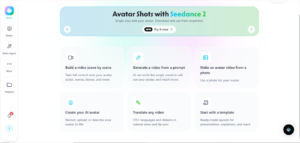
(HeyGen avatar editor and script interface)
The final result was surprisingly usable for:
- Tutorials
- Educational content
- FAQ videos
- Corporate explainers
The lip sync quality was better than expected.
Not perfect.
But definitely good enough for scalable informational content.
What I Learned from Using HeyGen
The real value is content scalability.
Instead of recording multiple takes manually, I could rapidly test:
* Different hooks
* Different intros
* Different messaging angles
That’s extremely useful for creators experimenting with audience retention.
Biggest Limitation
The videos can still feel AI-generated in emotional moments.
For deeply personal storytelling or high-emotion content, real human performance still matters.
But for educational publishing workflows, HeyGen dramatically reduces production time.
3. Riverside — The Most Complete AI Video Editing Workflow
Why Riverside Impressed Me the Most
Out of all the AI video editing tools I tested, Riverside felt the closest to a true all-in-one creator platform.
Most AI workflows today involve too many disconnected tools.
Creators often use:
- One tool for recording
- Another for captions
- Another for cleanup
- Another for clipping
- Another for translations
Riverside consolidates almost everything.
And honestly, that changes the creator experience significantly.
My Riverside Editing Workflow
I imported one of my own recorded episodes and tested several AI features.
Transcript-Based Editing
Instead of manually scrubbing a timeline, Riverside lets you edit directly from text.
I simply deleted words from the transcript.
The corresponding video sections disappeared automatically.
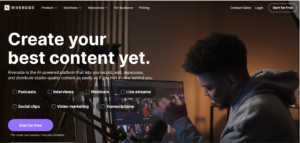
(Transcript editing interface inside Riverside)
This alone saves enormous editing time.
Especially for podcast-style or educational content.
AI Silence Removal
Next, I tested silence cleanup.
Riverside scanned the video and automatically removed awkward pauses.
What normally takes 10–15 minutes manually happened almost instantly.
AI Filler Word Removal
I also tested automatic filler removal.
The platform detected words like:
* “Um”
* “Uh”
* “Like”
Then cleaned them automatically.
The workflow felt smooth without requiring constant manual corrections.
AI Audio Enhancement
This feature turned out to be more valuable than expected.
Riverside improved:
* Voice clarity
* Audio balance
* Background noise
* Overall vocal presence
Insert Screenshot Here
(Before vs after audio enhancement results)
For creators without professional audio setups, this matters a lot.
Magic Clips for Short-Form Content
One of the strongest features was Magic Clips.
Riverside automatically detected engaging moments from the long-form video and converted them into vertical short-form clips.
This included:
- Captions
- Reframing
- Highlighted keywords
- Vertical formatting
For creators publishing across multiple platforms, this dramatically reduces repurposing time.
AI Translation Feature
The translation feature also stood out.
Riverside can:
- Translate speech
- Recreate your voice
- Apply optional lip sync
That opens huge opportunities for global audiences.
Especially for educational creators.
My Final Thoughts on Riverside
Riverside is probably the strongest option for:
- Podcasters
- YouTubers
- Course creators
- Interview-based creators
Especially if your workflow depends on consistent publishing.
The biggest benefit isn’t just automation.
It’s workflow consolidation.
4. AI Master Pro with Kling 3.0 — Best for Cinematic AI Visuals
This Tool Is Completely Different
AI Master Pro is not a traditional video editor.
It’s more like an AI-powered creative production layer.
Instead of simplifying editing, it expands creative possibilities.
That distinction matters.
My Workflow Using Kling 3.0
I tested several cinematic prompt workflows.
The goal was to generate visuals impossible or expensive to shoot manually.
For example:
- Futuristic cityscapes
- Cinematic transitions
- Stylized environments
- Complex motion sequences
Prompt Engineering Matters Here
Unlike template tools, this platform requires specificity.
I entered prompts describing:
* Camera motion
* Lighting
* Scene composition
* Environmental behavior
Insert Screenshot Here
(AI-generated cinematic sequence using Kling 3.0)
The generated results looked shockingly polished.
Especially for atmospheric B-roll.
⸻
Multi-Shot Consistency Was Impressive
One feature I found particularly useful was multi-shot scene generation.
Instead of generating isolated clips, Kling 3.0 maintained:
- Character continuity
- Lighting consistency
- Scene coherence
That’s extremely valuable for narrative content.
⸻
The Tradeoff
This workflow is slower and more technical.
You need to understand:
* Prompt engineering
* Cinematic language
* AI generation limitations
This is not a one-click platform.
But if you care about creative control, the results can be incredible.
⸻
5. AIVideo.com — Best for Fast AI Asset Generation
What Makes AIVideo.com Useful
AIVideo.com focuses entirely on asset generation.
No timeline editor.
No project management.
No advanced workflow system.
Just raw AI generation across multiple models.
My Testing Experience
I experimented with:
- AI B-roll generation
- Thumbnail concepts
- Stylized scenes
- Different rendering models
The useful part was model variety.
I could quickly compare outputs from:
- Kling
- Luma
- Minimax
- Flux
- Other generation engines
Insert Screenshot Here
(Different AI model outputs comparison)
This made experimentation significantly faster.
Best Use Case
AIVideo.com works best for creators who already have editing software but need:
- AI visuals
- Fast B-roll
- Creative assets
- Thumbnail graphics
It simplifies sourcing.
That’s its biggest strength.
SEO Tips for Creators Using AI Video Editing Tools
While testing these platforms, I also noticed how much AI workflows can impact YouTube SEO indirectly.
Here are a few practical lessons:
Faster Editing = More Consistent Uploads
Consistency still matters heavily for channel growth.
AI reduces production friction.
Better Repurposing Improves Discoverability
Platforms like Riverside help turn one long-form video into:
- Shorts
- Reels
- Clips
- Social snippets
That expands reach dramatically.
AI Helps Reduce Burnout
Many creators quit because production becomes overwhelming.
Smart AI workflows reduce repetitive tasks so creators can focus more on strategy and storytelling.
Lessons I Learned After Testing These AI Video Editing Tools
After using all five tools, one thing became very clear:
The smartest creators in 2026 are not using the most tools.
They’re using the right tools strategically.
That’s a huge difference.
Here’s how I now think about these platforms:
- FlexClip → Speed
- HeyGen → Scalable talking-head content
- Riverside → Workflow consolidation
- AI Master Pro → Creative cinematic production
- AIVideo.com → Asset generation
Each one solves a different production bottleneck.
And once you understand your own bottleneck, choosing the right platform becomes much easier.
Final Thoughts
The conversation around AI video editing tools often becomes exaggerated.
Some creators claim AI will replace editors completely.
Others dismiss AI as low-quality automation.
After testing these tools inside real production workflows, I think the truth is somewhere in the middle.
AI is not replacing creativity.
It’s reducing friction.
The creators who benefit most are the ones who combine:
- Human storytelling
- Strategic workflows
- AI-assisted production
That combination is incredibly powerful.
And honestly, in 2026, workflow efficiency is becoming a competitive advantage on its own.
The creators who can publish consistently without sacrificing quality will have a major edge.
FAQ: Top AI Video Editing Tools
What are the best AI video editing tools in 2026?
Some of the top AI video editing tools in 2026 include FlexClip, HeyGen, Riverside, AI Master Pro with Kling 3.0, and AIVideo.com. Each tool focuses on different workflow needs like editing, automation, AI generation, or asset creation.
Which AI video editing tool is best for YouTubers?
Riverside is one of the strongest all-in-one solutions for YouTubers because it combines recording, editing, audio enhancement, clipping, and repurposing into a single workflow.
Is AI video editing good for beginners?
Yes. Tools like FlexClip and HeyGen are beginner-friendly because they simplify complex editing tasks with templates and automation.
Can AI replace traditional video editing?
Not completely. AI works best as a workflow accelerator rather than a full replacement for creative editing decisions and storytelling.
Which AI tool is best for cinematic video generation?
AI Master Pro with Kling 3.0 stands out for cinematic AI-generated visuals, advanced prompt control, and multi-shot scene consistency.
Are AI-generated videos monetizable on YouTube?
Yes, as long as the content remains original, valuable, transformative, and follows YouTube monetization guidelines. Human commentary, editing, and unique workflows are still extremely important.